QR codes are everywhere in 2026 — on restaurant menus, event tickets, product packaging, marketing flyers, business cards, and even digital payments. But here’s the problem: most people create QR codes that look fine but fail in real life. They don’t scan reliably, lead to broken links, or get ignored because they look spammy or low-quality.
A good QR code generator does more than just turn a URL into a square. It helps you create clean, scannable, on-brand codes that people actually use.
In this guide, you’ll learn exactly how to create high-performing QR codes in 2026, what makes them scan successfully, and how to use the free QR Code Generator on keytext.net to do it in seconds.
Why QR Codes Still Matter in 2026
Despite the rise of NFC and direct links, QR codes remain one of the easiest and most universal ways to bridge physical and digital experiences. They work on any smartphone with a camera — no app download required for most modern phones.
Businesses and individuals use them for:
- Contactless menus and payments
- Event check-ins and ticketing
- Product information and authenticity verification
- Lead generation (linking to landing pages, WhatsApp, or forms)
- Social media growth and Wi-Fi sharing
The difference between a QR code that works and one that gets ignored often comes down to design, size, contrast, and the landing experience.
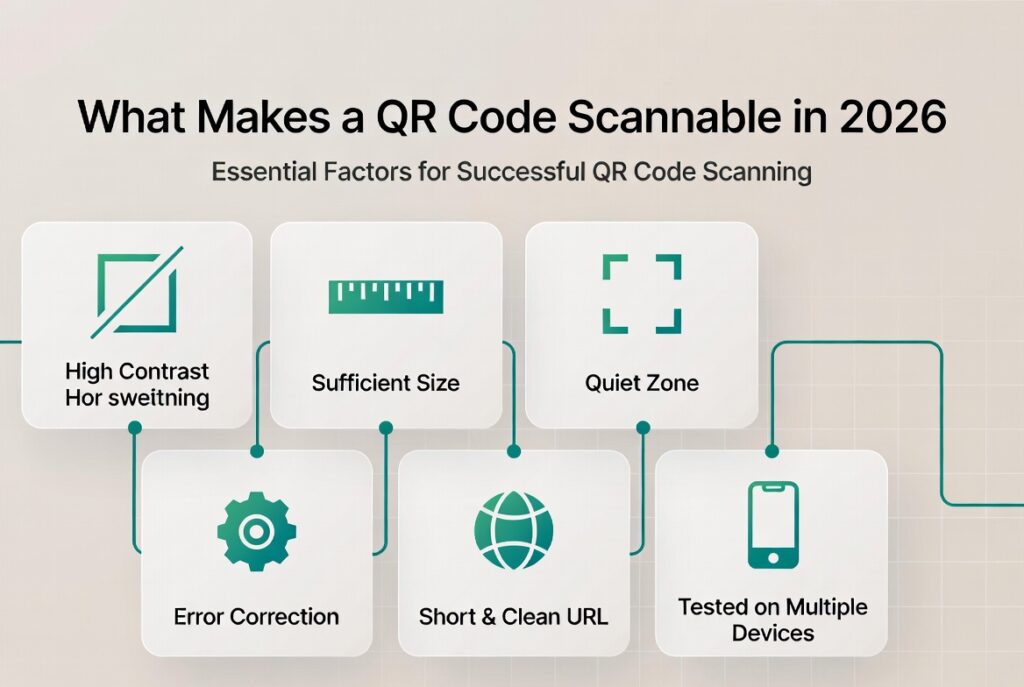
What Makes a QR Code Actually Scannable and Effective?
A high-performing QR code in 2026 should meet these standards:
- High contrast — Dark code on light background (or vice versa) with at least 4.5:1 contrast ratio.
- Sufficient quiet zone — Empty space around the code (at least the width of one module).
- Right size — Minimum 2 × 2 cm (0.8 × 0.8 inches) for print; larger for distance scanning.
- Error correction level — Use “Medium” or “High” so the code still works even if partially damaged or obscured.
- Short, clean destination URL — Use a URL shortener or clean landing page (long messy URLs can reduce reliability).
- Tested on multiple devices — Always test with both iOS and Android cameras before printing or publishing.
How to Use the Free QR Code Generator on keytext.net
Our tool makes it fast and easy to create professional QR codes with customization options.
Quick steps:
- Go to the QR Code Generator
- Paste your URL, text, Wi-Fi details, or contact info
- Choose size, error correction level, and colors (if supported)
- Generate and download as PNG or SVG
- Test the code before using it
The tool also lets you create QR codes for different purposes (URL, text, email, phone, Wi-Fi, etc.) in one place.
3 Real 2026 Scenarios Where a Good QR Code Makes a Difference
Scenario 1: Restaurant or Café Menu. You want to go paperless. A poorly designed QR code that’s too small, low contrast, or links to a slow mobile site frustrates customers. Well-designed code with robust error correction and a fast-loading mobile menu improves the customer experience and reduces printing costs.
Scenario 2: Event or Conference Check-in You’re running a workshop or networking event. Attendees scan a QR code on their badge or the welcome screen to check in or access the agenda. Reliable code with good error correction still works even if the badge gets slightly crumpled or the lighting isn’t perfect.
Scenario 3: Marketing & Lead Generation You’re running a campaign with flyers or posters. A QR code that links directly to a clean landing page or WhatsApp chat converts better than one that leads to a slow or confusing page. Adding your brand colors (while maintaining high contrast) increases trust and recognition.
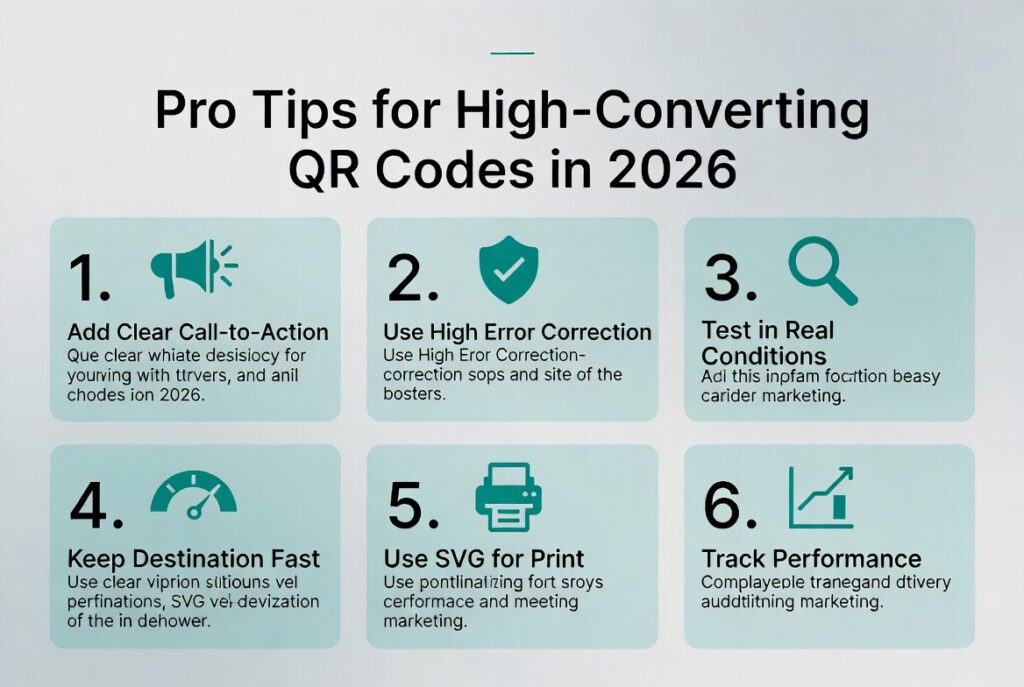
Pro Tips for High-Converting QR Codes in 2026
- Always add a clear call to action near the code (“Scan to view menu”, “Scan to register”, “Scan for more info”).
- Use high error correction for codes printed on materials that might be damaged or folded.
- Test in real conditions — Scan at different distances and in different lighting before finalizing.
- Keep the destination fast and mobile-friendly — A beautiful QR code is useless if the page takes 8 seconds to load.
- Use SVG format when possible for print materials (scales perfectly without quality loss).
- Track performance when possible (use UTM parameters or a URL shortener with analytics).
Common QR Code Mistakes to Avoid
- Making the code too small for the expected scanning distance
- Using low contrast colors (light gray on white, for example)
- Placing the code on busy backgrounds or textures
- Linking to long, ugly URLs instead of clean ones
- Forgetting to test on actual phones before printing 500 copies
- Using QR codes for everything when a simple short link or NFC would work better
Frequently Asked Questions About QR Codes in 2026
Do QR codes expire? No — the code itself doesn’t expire. However, if it links to a URL that changes or gets deleted, it will stop working.
Can I edit the destination URL later? Static QR codes (the most common free type) cannot be edited after creation. For editable codes, you need a paid dynamic QR code service.
What’s the best file format to download? PNG for web and most digital use. SVG for print materials (it stays sharp at any size).
Can I add my logo to the QR code? Yes, but do it carefully. Adding a logo in the center can reduce scannability if it covers too much of the code or reduces contrast. Test thoroughly.
Are free QR code generators safe? Most are safe for normal use. Just avoid uploading sensitive information (like passwords or private data) to any online generator.
How big should I print a QR code? For close scanning (under 30 cm / 12 inches), 2–3 cm is usually enough. For posters viewed from farther away, go larger (10 cm+).
Ready to Create Better QR Codes in 2026?

Stop using low-quality or unreliable QR codes. Start generating clean, professional, high-scanning codes that actually deliver results.
Create professional QR codes instantly with our free tool:
(Embed your QR Code Generator tool here – https://keytext.net/miscellaneous-tools/qr-code-generator/)
Want more practical tools for content and productivity? Check out our Word Counter & Character Counter Ultimate Guide and Case Converter Guide.
Written by the KeyText Team We build free, accurate online tools so you can create better content and work more efficiently — no sign-up, no limits, just results.