In 2026, staying focused feels harder than ever. Between constant Slack messages, AI notifications, endless tabs, and the pressure of hybrid/remote work, many people struggle to complete deep work without burning out.
That’s why the Pomodoro Technique — a simple time-management method created in the late 1980s — is more powerful and relevant today than ever before.
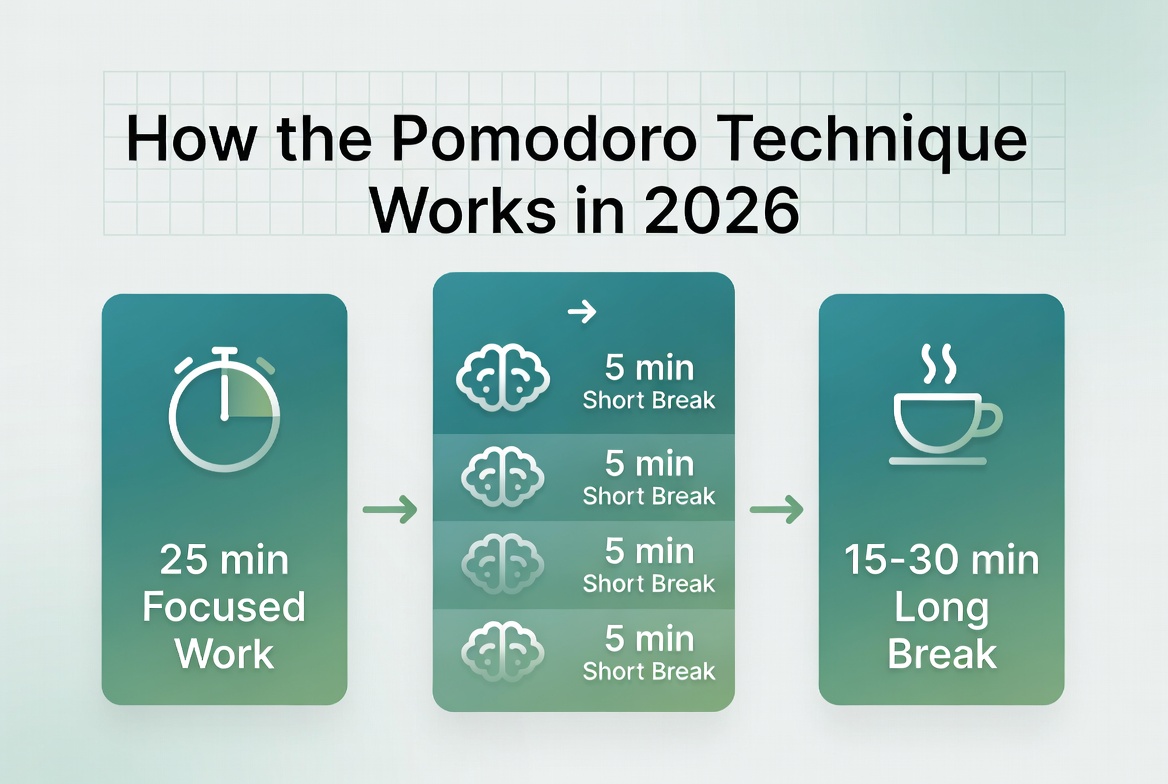
The technique uses a kitchen timer (the word “pomodoro” means “tomato” in Italian) to break work into focused 25-minute intervals, followed by short breaks. It trains your brain to stay on task, reduces mental fatigue, and dramatically increases productivity.
In this guide, you’ll learn exactly how to use the free Pomodoro Timer on keytext.net, proven strategies for 2026, real-world examples, and common mistakes to avoid.
Why the Pomodoro Technique Works So Well in 2026
Our brains are not designed for hours of uninterrupted focus. Research on attention and cognitive performance shows that most people experience a natural dip in concentration after 20–30 minutes.
The Pomodoro method works because it:
- Creates urgency and reduces procrastination
- Prevents burnout by forcing regular breaks
- Builds momentum through small wins (each completed cycle)
- Improves time awareness (you quickly learn how long tasks actually take)
- Combats the “all-or-nothing” mindset that leads to overwhelm
In an era of AI tools and constant digital noise, structured focus sessions like Pomodoro give you a competitive edge.
How to Use the Free Pomodoro Timer on keytext.net
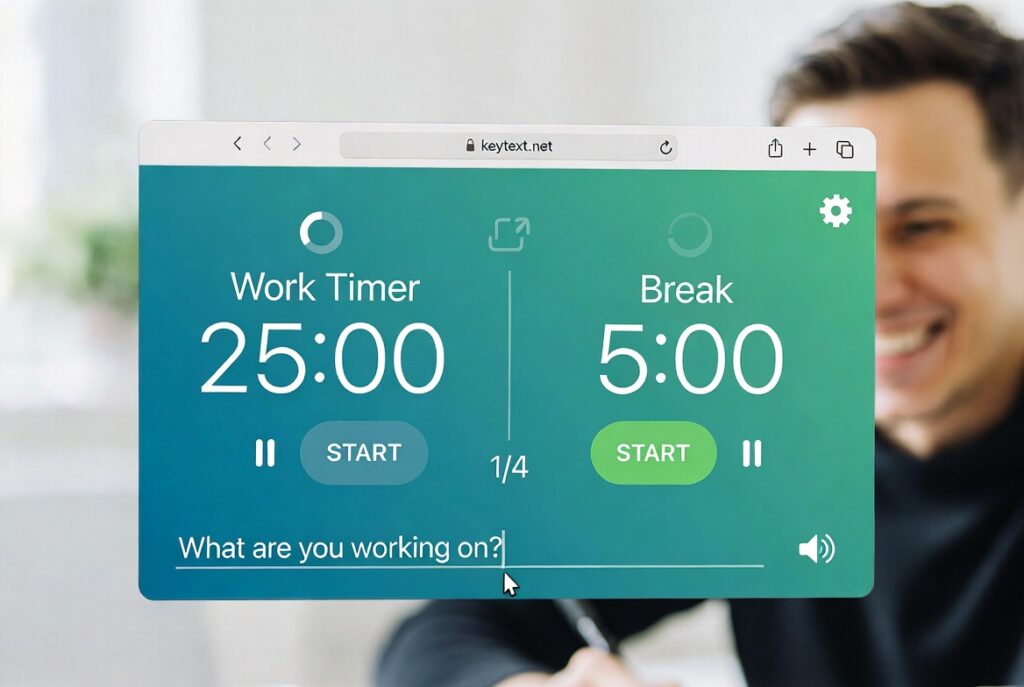
Our tool is simple, clean, and designed for real productivity:
- Go to the Pomodoro Timer
- Set your focus duration (default 25 minutes — customizable)
- Set short break (default 5 minutes) and long break (default 15–30 minutes)
- Add your current task
- Click Start and work until the timer rings
- Take your break, then repeat
The tool automatically tracks your cycles and lets you customize everything for your personal rhythm.
3 Real 2026 Scenarios Where Pomodoro Transforms Your Day
Scenario 1: Freelancer or Content Creator. You have a 2,000-word article due. Instead of staring at a blank screen for hours, you do four focused Pomodoros. By the end of the morning, you’ve finished the draft with energy left for revisions — and you actually took real breaks instead of scrolling.
Scenario 2: Student or Remote Worker You’re studying for an exam or preparing a big presentation. Pomodoro helps you stay on one topic for 25 minutes without checking your phone. After four cycles, you’ve covered more material than you usually do in an entire afternoon of “studying while distracted.”
Scenario 3: Team Meetings & Deep Work Balance. You block two hours in the morning for focused work using the Pomodoro technique. You turn off notifications, complete high-value tasks, and still have energy for afternoon meetings. Your team notices the difference in your output and clarity.
Pro Tips for Getting the Most Out of Pomodoro in 2026
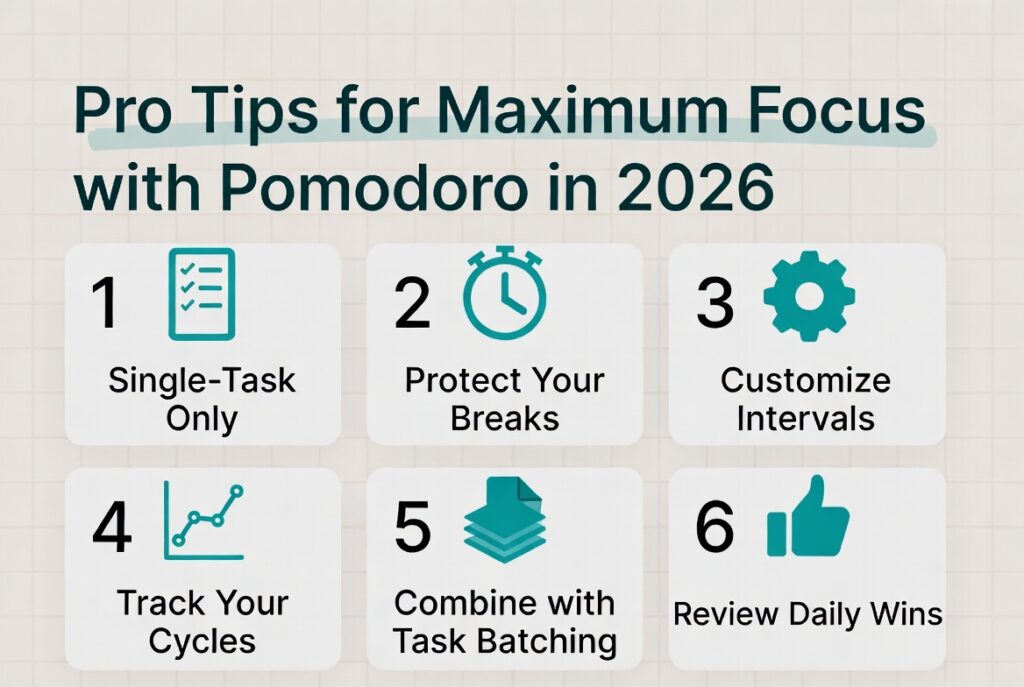
- Protect your breaks — Stand up, stretch, hydrate, or look out the window. Do not check email or social media during short breaks.
- Single-task ruthlessly — Each Pomodoro should focus on one clear task. Multitasking kills the method’s power.
- Customize your intervals — Some people work better with 50-minute focus + 10-minute breaks. Experiment and find your ideal rhythm.
- Track your cycles — At the end of the day, review how many Pomodoros you completed. This builds powerful self-awareness.
- Combine with other tools — Use it alongside our Word Counter for writing sprints or our Case Converter for formatting content.
- Plan your tasks the night before — Know exactly what you’ll work on in each session so you don’t waste the first few minutes deciding.
Common Pomodoro Mistakes to Avoid

- Skipping breaks (leads to burnout)
- Using the timer but still checking notifications
- Choosing tasks that are too big or too vague for one cycle
- Giving up after one bad day instead of building the habit
- Forcing 25 minutes when your natural focus rhythm is different
Frequently Asked Questions About the Pomodoro Technique in 2026
Can I change the 25-minute default? Yes — many people use 50- or 10-minute deep work blocks once they’re experienced. Start with the classic method and adjust.
What if I finish my task before the timer rings? Use the remaining time for review, planning the next step, or light organization related to that task.
Is Pomodoro good for creative work? Absolutely. Many writers, designers, and developers use it successfully. The structure helps overcome perfectionism and start resisting.
What about meetings or collaborative work? Use Pomodoro for your individual focused work blocks and protect those times on your calendar.
Does the tool save my history? Our free tool focuses on the live session. For long-term tracking, combine it with a simple notebook or task manager.
Can kids or teams use it? Yes — it’s excellent for students and can be used in team “focus sprints” where everyone works silently for 25 minutes.
Ready to Take Control of Your Focus in 2026?
Stop letting distractions win. Start using structured focus sessions and actually finish what matters.
Try the free Pomodoro Timer now and start your first focused session:
(Embed your Pomodoro Timer tool here – https://keytext.net/pomodoro-timer/)
Loved this? Check out our Password Generator Guide for digital security and our QR Code Generator Guide for smart content tools.
Written by the KeyText Team. We build free, accurate online tools so you can work smarter, stay focused, and protect what matters — no sign-up, no limits, just results.