
Use this World Time Calculator and Converter to compare times between different cities, countries, and time zones. Enter a time and choose the locations you want to compare to see the matching local time in each place.
This tool is useful for planning international meetings, remote work calls, online events, travel schedules, webinars, livestreams, customer support shifts, and communication across different time zones.
Times update live every second and follow each region's daylight saving rules via your browser's IANA time zone database. Day and night indicators treat 6:00 AM to 6:00 PM as daytime. Your selected cities are saved to this device.
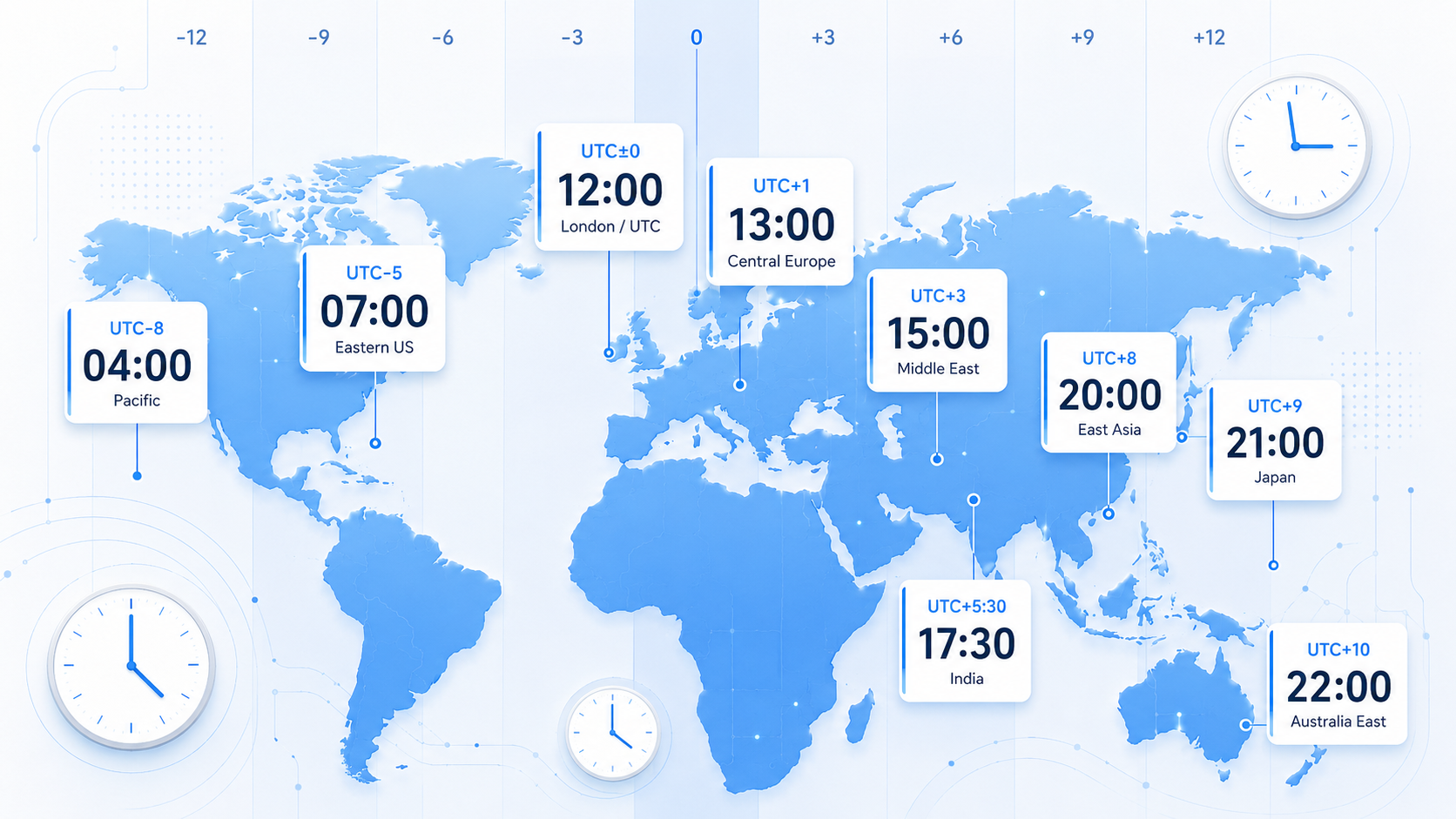
How to Use This World Time Converter
To convert time between locations:
- Choose the starting city, country, or time zone.
- Enter the date and time you want to convert.
- Choose the destination city, country, or time zone.
- Click convert.
- Review the converted local time.
- Add more locations if the tool supports multiple time zones.
For the most accurate result, choose a city or official time zone rather than only a country name, because some countries have more than one time zone.
What This World Time Calculator Shows
Depending on how the tool is built, this calculator may show:
Local Time in Another City
The converted time in the selected destination city or time zone.
Time Difference
The number of hours ahead or behind between two locations.
Date Change
Whether the converted time falls on the same day, previous day, or next day.
Multiple Time Zone Comparison
If supported, the tool may show the same selected time across several cities at once.
Daylight Saving Time Adjustment
If the tool uses time zone data, it may account for daylight saving time where applicable.
What Is a World Time Converter?
A world time converter is an online tool that helps you convert a specific time from one location to another.
For example, if it is 9:00 AM in New York, the converter can show what time it is in London, Dubai, Beirut, Tokyo, Sydney, or another selected location.
This is especially useful because time zones are not always simple hour differences. Some locations use daylight saving time, some do not, and some countries use half-hour or quarter-hour offsets.
Why Time Zone Conversion Matters
Time zone differences can create confusion when people work, travel, or communicate internationally.
A time that is convenient in one country may be very early or very late in another. In some cases, the converted time may even fall on a different date.
A world time calculator helps avoid mistakes such as:
- Scheduling a meeting at the wrong local time
- Missing a webinar or online event
- Calling someone too early or too late
- Confusing AM and PM
- Forgetting that another country may be on the next day
- Ignoring daylight saving time changes
Common Uses for a World Time Calculator
You can use this tool for many everyday and professional needs.
Common uses include:
- Scheduling remote meetings
- Planning international video calls
- Comparing business hours across countries
- Planning travel and flight times
- Coordinating with freelancers or remote teams
- Scheduling webinars and online events
- Planning livestreams for global audiences
- Checking customer support coverage
- Coordinating family calls across countries
- Comparing school or university online class times
- Planning product launches across regions
- Checking time differences before sending messages
This tool is designed for general scheduling and planning convenience.
Example: Convert Meeting Time Between Cities
Suppose you want to schedule a meeting at 10:00 AM in New York and you need to know the matching time in London and Dubai.
Enter New York as the starting location, choose 10:00 AM, and then select London and Dubai as destination locations.
The calculator will show the local time in each selected place. This helps you choose a time that works better for everyone.
Example: Planning a Remote Team Call
If your team includes people in Beirut, London, New York, and Singapore, choosing a meeting time manually can be confusing.
A world time converter can show the same meeting time across all selected locations. You can then compare whether the meeting falls during normal working hours, early morning, late evening, or overnight for each person.
This is helpful for remote teams, agencies, consultants, freelancers, online communities, and international businesses.
Example: Checking Time Before Travel
Travelers can use a time converter to compare their home time with the local time at their destination.
For example, if you are flying from Beirut to Los Angeles, the local time difference may affect your arrival planning, hotel check-in, meetings, and communication with people back home.
A world time converter helps you understand the time difference before you travel.
Time Zones Explained
A time zone is a region that follows the same standard time. Time zones are usually based on their offset from Coordinated Universal Time, also called UTC.
For example:
- UTC+0 means the time zone is aligned with UTC.
- UTC+2 means the time zone is two hours ahead of UTC.
- UTC-5 means the time zone is five hours behind UTC.
However, real-world time zones can be more complicated because of daylight saving time, political changes, local rules, and countries with multiple time zones.
What Is UTC?
UTC stands for Coordinated Universal Time. It is the global time standard used as a reference for time zones.
Many time zones are described as offsets from UTC. For example, a city may be UTC+3, UTC-4, or UTC+9 depending on its location and local time rules.
UTC is especially useful for:
- International scheduling
- Software systems
- Aviation
- Global events
- Technical logs
- Coordinating teams across countries
What Is Daylight Saving Time?
Daylight saving time is a seasonal time change used in some countries or regions. During daylight saving time, clocks may move forward by one hour for part of the year.
Not every country uses daylight saving time, and countries may start or end it on different dates.
This can make time conversion confusing. A city may be a certain number of hours ahead or behind another city during one part of the year, then shift by one hour during another part of the year.
For this reason, it is best to convert time using both the location and the exact date.
Why the Date Matters in Time Conversion
The date is important because time zone rules can change depending on the time of year.
For example, two cities may have one time difference in January and another time difference in July if one location observes daylight saving time and the other does not.
The converted time may also fall on a different date. For example, an evening time in the United States may already be the next morning in parts of Asia or Australia.
When planning important meetings or events, always check the exact date and time.
AM and PM Time Conversion
When converting time, pay attention to AM and PM.
For example:
- 9:00 AM is morning.
- 9:00 PM is evening.
- 12:00 AM is midnight.
- 12:00 PM is noon.
Confusing AM and PM is a common scheduling mistake. If the tool supports 24-hour format, it may help reduce confusion for international planning.
12-Hour vs. 24-Hour Time
Different countries and industries use different time formats.
12-Hour Time
The 12-hour format uses AM and PM. It is common in some countries for everyday scheduling.
Example:
3:30 PM24-Hour Time
The 24-hour format counts from 00:00 to 23:59. It is common in travel, healthcare, military, international business, and many countries.
Example:
15:30Both examples mean the same time. A world time converter can be especially helpful when converting between people who use different time formats.
Business Hours Across Time Zones
When scheduling international meetings, it is useful to check whether the converted time falls inside normal business hours for each location.
For example, a meeting that is convenient in one city may be:
- Early morning in another city
- Late evening in another city
- Outside business hours
- On the next calendar day
- During a weekend or holiday
A time converter helps reduce scheduling mistakes, but it may not know each country’s holidays or company-specific workdays unless that feature is included.
Tips for Scheduling Across Time Zones
For better international scheduling:
- Use city names instead of only country names.
- Include the date when converting time.
- Check whether the converted time is AM or PM.
- Consider business hours for all participants.
- Watch for next-day or previous-day conversions.
- Confirm meeting times in writing.
- Use calendar invites with time zone support.
- Avoid scheduling too close to daylight saving time changes.
- Use UTC for technical or global event references when helpful.
These steps can help prevent confusion and missed meetings.
World Time Calculator FAQ
What is a world time calculator?
A world time calculator is a tool that converts a selected time from one city, country, or time zone to another.
How do I convert time between cities?
Choose the starting city, enter the date and time, then choose the destination city. The calculator will show the matching local time.
Why should I choose a city instead of a country?
Some countries have multiple time zones. Choosing a city usually gives a more accurate result than choosing only the country.
Does this calculator include daylight saving time?
If the tool uses time zone data and date-based conversion, it may account for daylight saving time where applicable. Always check important times carefully.
Why does the converted time sometimes show a different date?
Some time zones are many hours ahead or behind others. A time in one location may already be the next day or still the previous day somewhere else.
What does UTC mean?
UTC stands for Coordinated Universal Time. It is the global reference standard used to describe time zone offsets.
What is the difference between UTC and GMT?
UTC is the modern global time standard. GMT, or Greenwich Mean Time, is often used in everyday language and historical contexts. In many practical uses, they are treated similarly, but UTC is the more precise standard for technical timekeeping.
Can I use this for scheduling meetings?
Yes. This tool is useful for planning meetings across different time zones. For important meetings, also send a calendar invite so each participant sees the time in their local calendar.
Can I use this for flights?
You can use it for general travel planning, but always rely on airline, airport, and official travel information for flight times and schedule changes.
Can I use this for deadlines?
You can use it for general planning, but official deadlines may depend on the organization’s stated time zone, date, and rules. Always verify deadline requirements with the relevant authority.
Why is my result different from the website at another time?
Differences may occur due to daylight saving time rules, the selected city, the date, the data source, or whether the tool uses a fixed UTC offset rather than official time zone rules.
Is this tool free?
Yes. This World Time Calculator and Converter is free to use.
Important Limitations
This World Time Calculator and Converter is designed for general scheduling and convenience only.
It may not account for:
- Public holidays
- Company-specific working hours
- Last-minute time zone rule changes
- Political time zone changes
- Incorrect city selection
- User device time settings
- Calendar app settings
- Airline schedule updates
- Legal or official deadline requirements
For important meetings, travel, deadlines, flights, legal dates, or official events, verify the time with the relevant organization, calendar system, airline, or authority.
Disclaimer
This World Time Calculator and Converter is provided for general informational and convenience purposes only. It should not be treated as legal, travel, business, aviation, scheduling, immigration, financial, or professional advice.
For official deadlines, flight schedules, travel plans, international events, legal filings, business commitments, or time-sensitive requirements, confirm the correct local time and time zone with the relevant authority or official source.